Back to projects

Project case study

Shadow Dojo

Browser slicing game controlled by the fingertip on camera or by the mouse.
My roleDeveloper
Technologies used
  • MediaPipe Tasks Vision
  • Canvas API
  • React
  • TypeScript
  • Vite
  • Vitest
  • Playwright
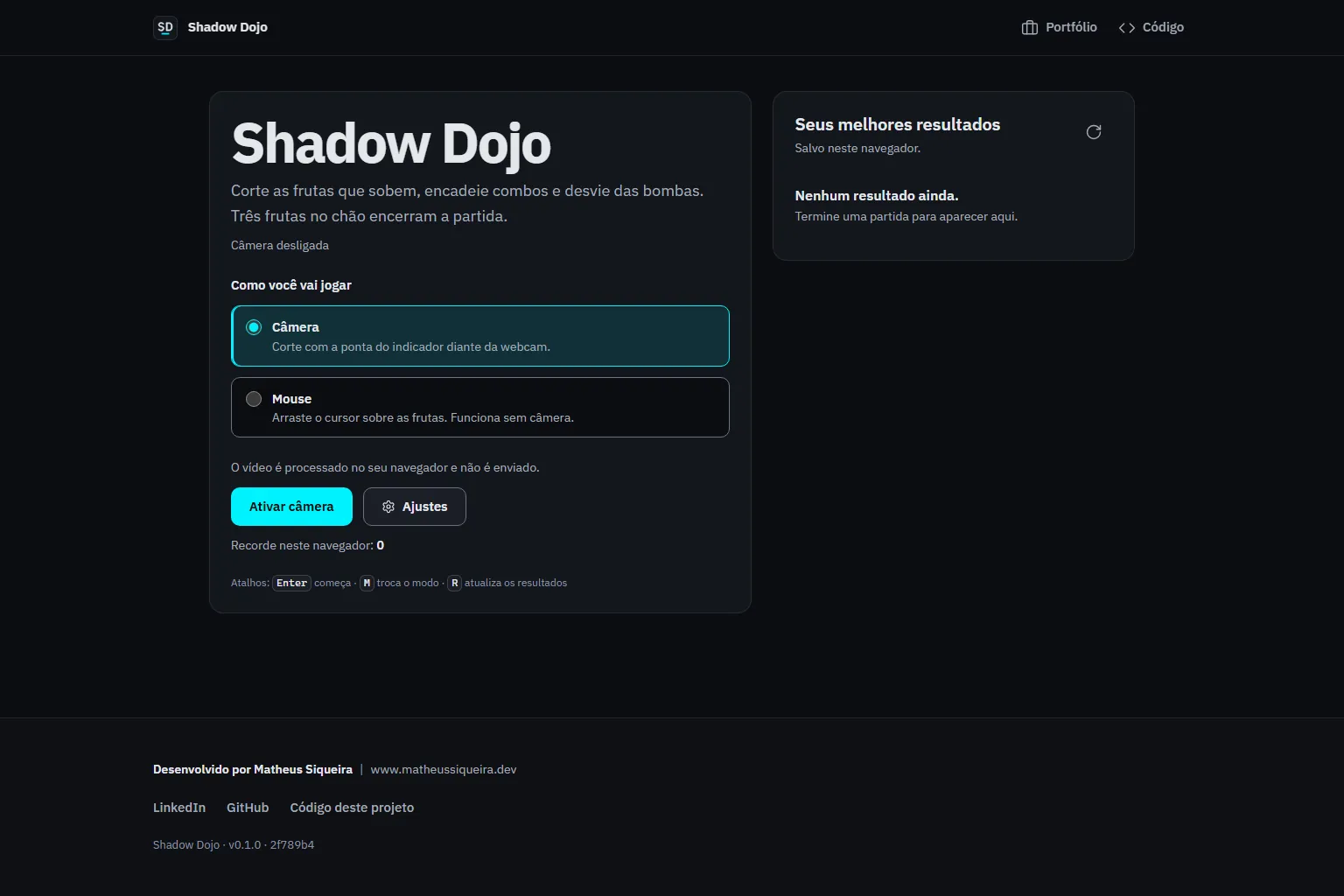
Shadow Dojo menu with the camera or mouse choice and the local leaderboard.
shadow-dojo.vercel.app / Home page

Problem

Camera games often lock out people without a camera or who do not want to allow it.

A cut has to respond to real movement, not to any still point on screen.

Solution

Architecture at a glance
  • Frames from the player's camera or the pointer position.
  • Leaderboard saved in the browser.
Technical decisions
  1. Tracking of hand landmark 8 with mirroring, scheduled per video frame.
  2. Blade active only with 80 ms or 4 px of movement.
  3. Fruit split into two halves along the cut, with an arc computed from the stage height.

Result

A camera game study that stays playable without one.

  • Canvas 2D
  • In-browser computer vision
  • Camera-free alternative
  • Testable game logic

Learnings and limitations

  • Tracks one hand.
  • The leaderboard stays in the browser in production.
  • Production comes from a branch outside main, with camera-error tests failing in CI.

More about the project

Full case details, collapsed for optional reading.

Full description

Shadow Dojo is a slicing game in the browser where the index fingertip, read from the camera, or the mouse becomes the blade.

The blade only cuts while moving; each fruit splits into two halves along the cut, and the launch arc follows the stage height.

Combos up to five, bombs, three lives and rising difficulty live in pure logic tested apart from the screen.

Production comes from a branch not yet merged into the repository's main.

React and Vite with MediaPipe Tasks Vision and Canvas 2D; pure logic tested in Vitest and flows in Playwright with axe.

Features and highlights
  • Camera mode and mouse or touch mode.
  • Combos up to five, bombs and three lives.
  • Rising difficulty.
  • Camera errors classified by type.
  • Local leaderboard.
  • Cuts only when the blade moves, by minimum time or distance.
  • Splits each fruit into two halves along the cut.
  • Offers a mouse mode for people who do not use the camera.
  • Keeps the game logic in pure functions with tests.
Technical architecture and data

Technical architecture

How the case was designed as a product

Browser slicing game controlled by the fingertip on camera or by the mouse.

MediaPipe Tasks VisionAICanvas APIWeb platformReactFrameworkTypeScriptLanguageViteFrameworkVitestFrameworkPlaywrightFramework

Data used

  • Frames from the player's camera or the pointer position.
  • Leaderboard saved in the browser.

Core components

  • Camera mode and mouse or touch mode.
  • Combos up to five, bombs and three lives.
  • Rising difficulty.
  • Camera errors classified by type.
  • Local leaderboard.

Technical decisions

  • Canvas 2D
  • In-browser computer vision
  • Camera-free alternative
  • Testable game logic

Trade-offs

  • Tracks one hand.
  • The leaderboard stays in the browser in production.
  • Production comes from a branch outside main, with camera-error tests failing in CI.
How to run
  1. npm ci
  2. npm run dev and open http://localhost:3000
  3. npm run typecheck, npm test and npm run e2e
Credits

Developed by Matheus Siqueira - https://www.matheusdev.tech

Next projectAd Performance Intelligence

Next.js BI dashboard comparing Google Ads and Meta Ads on simulated data: KPIs, funnel and ROAS.

View full case