Back to projects

Project case study

Flappy Bird com Gestos

Flappy Bird played with the hand on a webcam in a local Python engine, with a camera-free Canvas web demo.
My roleDeveloper
Technologies used
  • Canvas API
  • Next.js
  • React
  • TypeScript
  • Python
  • MediaPipe
  • OpenCV
  • 1 more technology
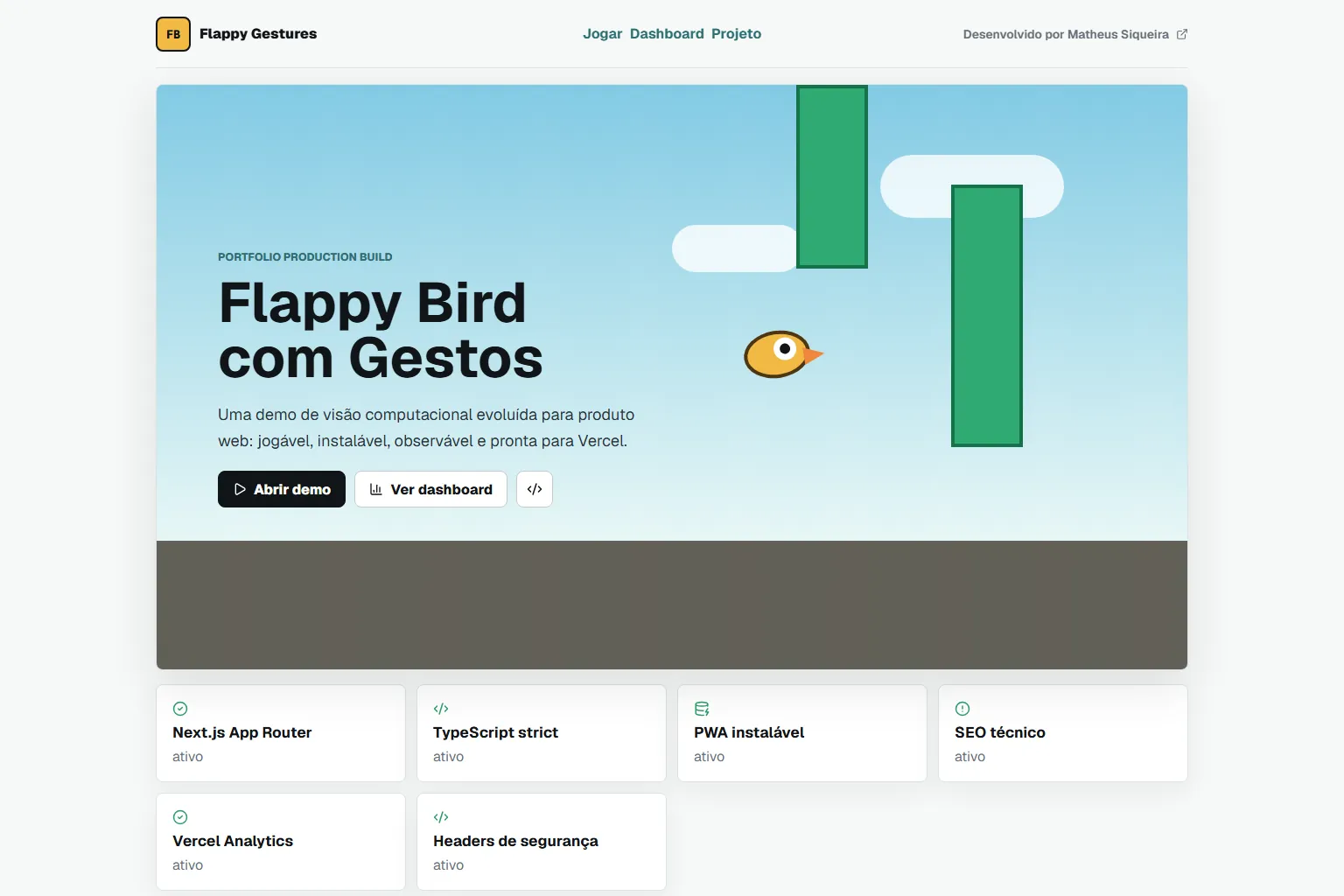
Home page with the Canvas game and the technical highlights of the web demo.
flappy-bird-red-sigma.vercel.app / Home page

Problem

Playing without a keyboard means turning a gesture into a steady command.

Pygame and OpenCV do not run on Vercel.
Solution

Architecture at a glance
  • Webcam frames in the Python engine.
  • Sample data in the web demo dashboard.
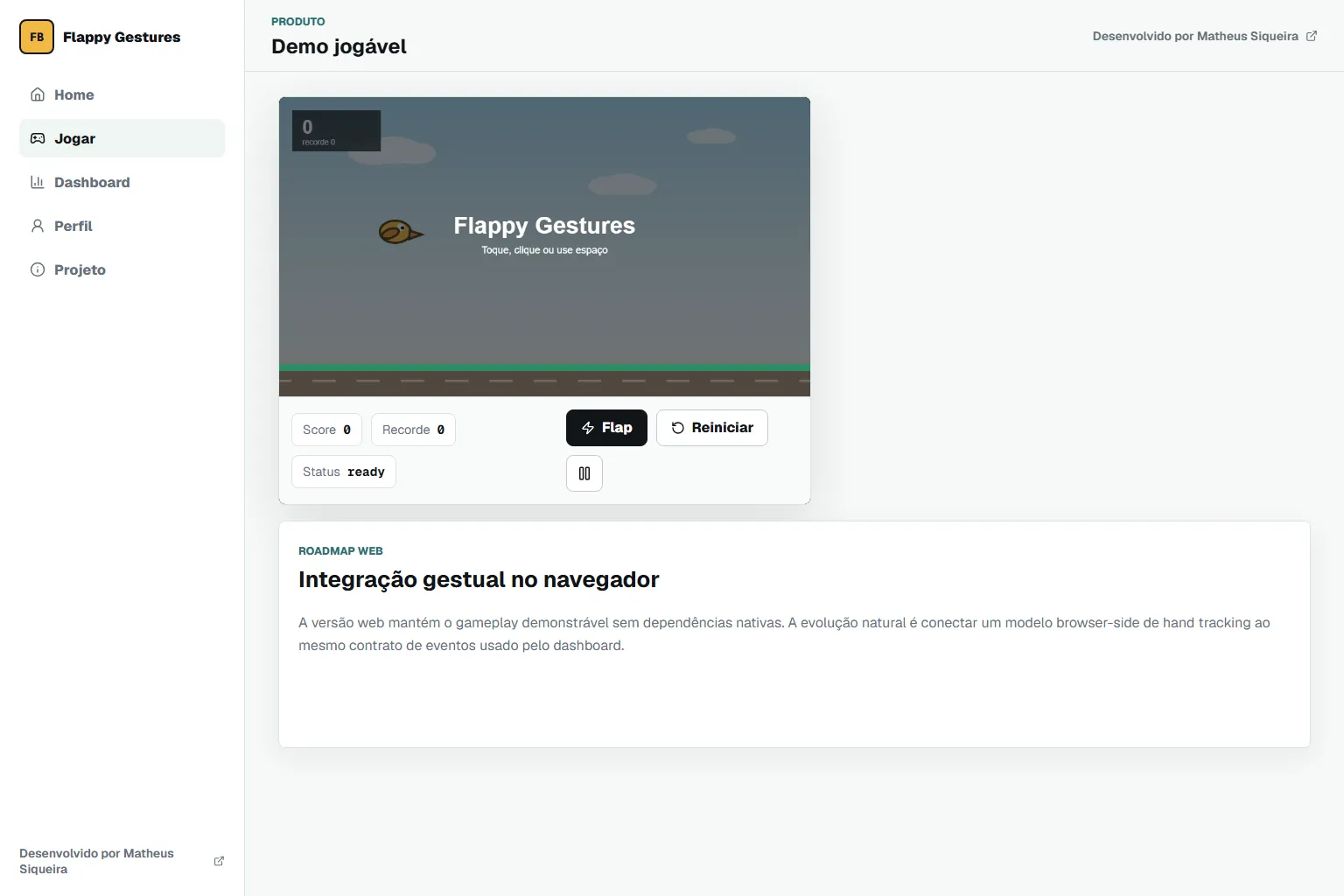
Canvas game screen, played with click, tap or space.
Technical decisions
  1. Python engine with MediaPipe Hands and a smoothing temporal filter.
  2. Discrete mode (open the hand to jump) and continuous mode (hand height).
  3. Web demo with its own Canvas 2D physics: gravity, pipes and collision.

Result

The gesture lives in the local engine; the published demo shows the game, not camera control.

  • Canvas 2D
  • Python with computer vision
  • Gesture-to-command mapping

Learnings and limitations

  • The web demo does not use gestures; the page itself lists the integration as a next step.
  • The demo dashboard shows sample data.
  • There are no automated tests.

More about the project

Full case details, collapsed for optional reading.

Full description

Flappy Bird controlled by an open or closed hand on the webcam, in a local Python engine, with a published web demo.

In the engine, MediaPipe Hands reads the hand, a temporal filter smooths the signal and two modes translate the gesture: open the hand to jump, or hand height.

The published demo is a Canvas 2D game played with click, tap or space; it does not use the camera.

The demo dashboard shows sample data, not game measurements.

Python engine with MediaPipe, OpenCV and Pygame; web demo in Next.js, React and Canvas 2D.

Features and highlights
  • Gesture control in the Python engine.
  • Two control modes.
  • Canvas web game with a saved high score.
  • PWA with CSP and Permissions-Policy.
  • Smooths the hand signal with a temporal filter before acting.
  • Offers discrete and continuous control modes.
  • Implements the web game physics in Canvas 2D with no library.
Technical architecture and data

Technical architecture

How the case was designed as a product

Flappy Bird played with the hand on a webcam in a local Python engine, with a camera-free Canvas web demo.

Canvas APIWeb platformNext.jsFrameworkReactFrameworkTypeScriptLanguagePythonLanguageMediaPipeAIOpenCVAIPygameFramework

Data used

  • Webcam frames in the Python engine.
  • Sample data in the web demo dashboard.

Core components

  • Gesture control in the Python engine.
  • Two control modes.
  • Canvas web game with a saved high score.
  • PWA with CSP and Permissions-Policy.

Technical decisions

  • Canvas 2D
  • Python with computer vision
  • Gesture-to-command mapping

Trade-offs

  • The web demo does not use gestures; the page itself lists the integration as a next step.
  • The demo dashboard shows sample data.
  • There are no automated tests.
How to run
  1. Web: npm install and npm run dev.
  2. Engine (Python 3.10 to 3.12): python -m venv .venv, activate it, pip install -r requirements.txt and python main.py
Additional media
Project demonstration video.
Credits

Developed by Matheus Siqueira - https://www.matheusdev.tech

Next projectAd Performance Intelligence

Next.js BI dashboard comparing Google Ads and Meta Ads on simulated data: KPIs, funnel and ROAS.

View full case