Back to projects

Project case study

Face Behavior Dashboard

In-browser dashboard that turns face signals from the webcam into an experimental attention index, with no server.
My roleDeveloper
Technologies used
  • MediaPipe Tasks Vision
  • Canvas API
  • Next.js
  • React
  • TypeScript
  • Recharts
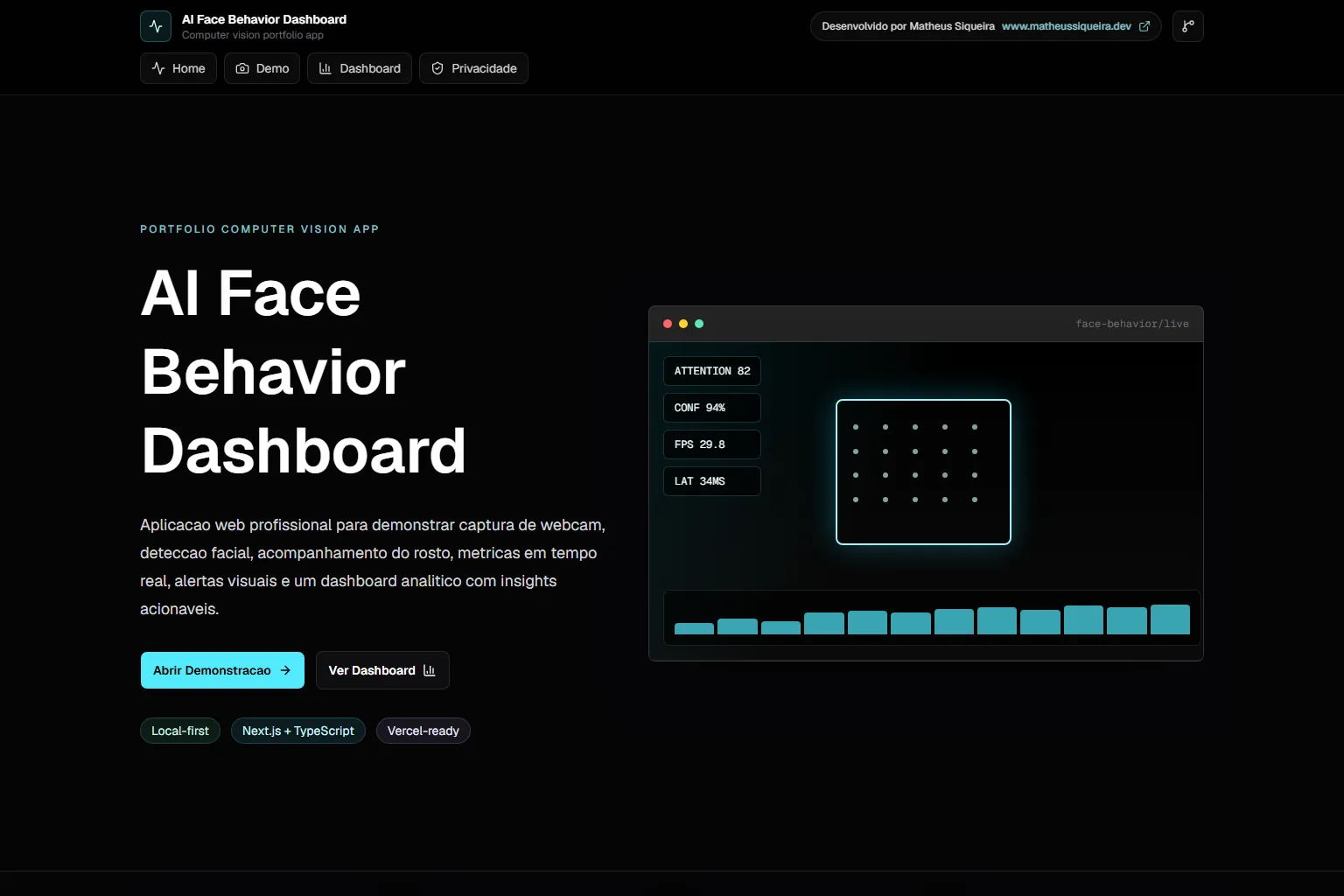
Face behavior dashboard home with the attention indicator and a tracking preview.
detector-de-stress.vercel.app / Home page

Problem

Show in-browser computer vision without sending the face to a server.

An index derived from the face has to be clear about what it does not measure.
Solution

Architecture at a glance
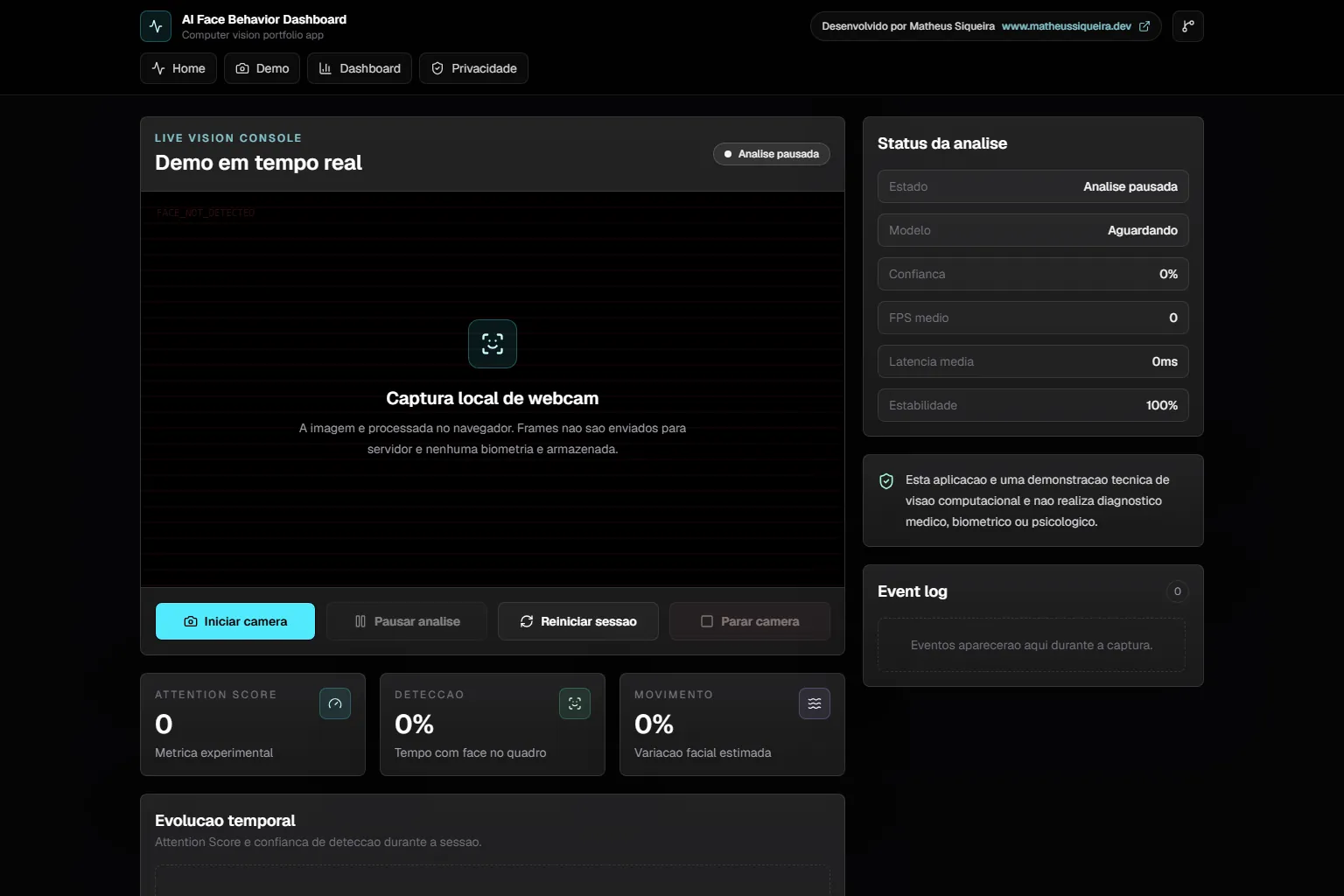
  • Webcam frames, processed in the browser.
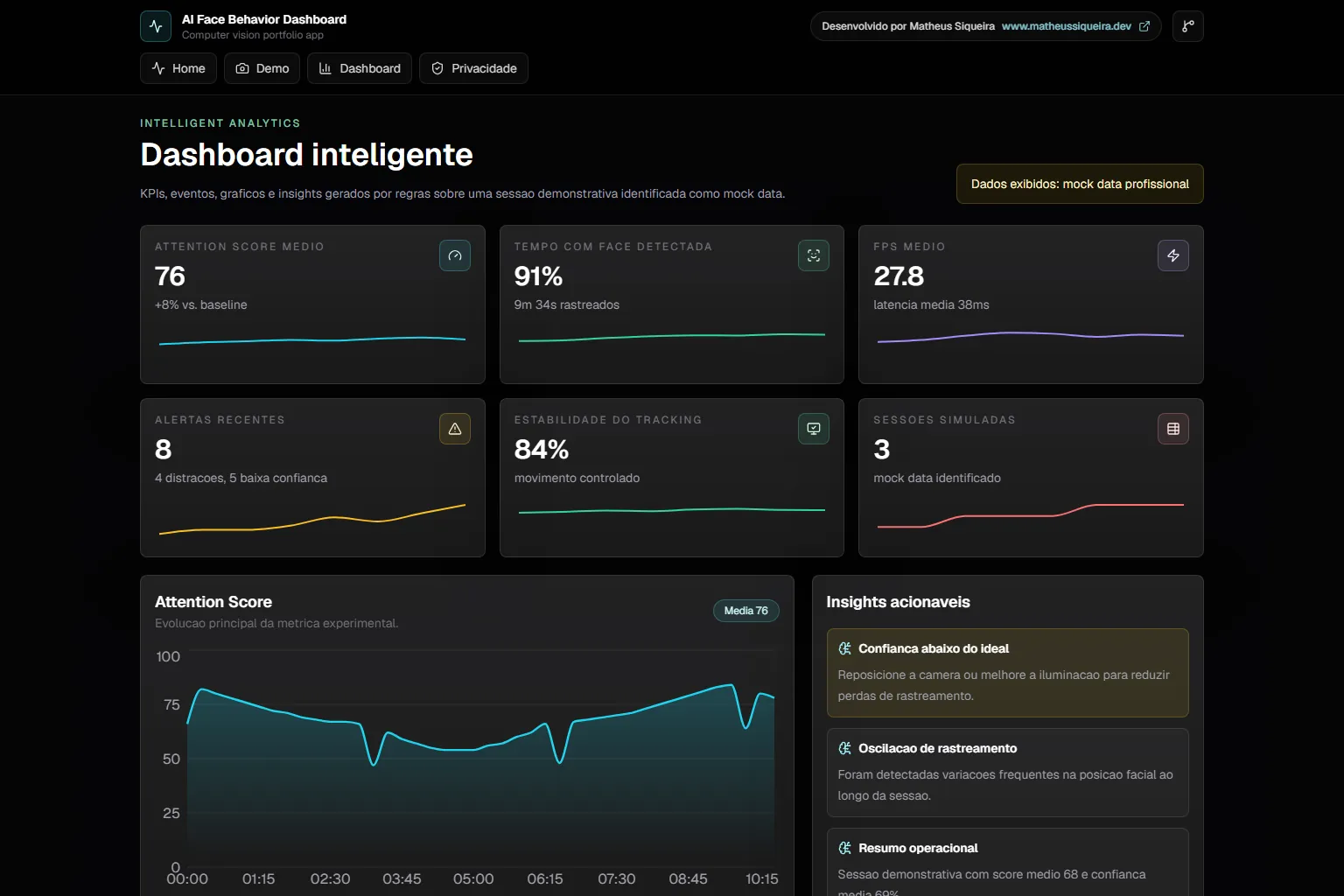
  • Sample data in the dashboard, labelled on screen.
Real-time demo before the webcam starts.
Technical decisions
  1. Face Landmarker on the GPU with blendshapes, and the native FaceDetector as a fallback.
  2. Mouth-open, blink and head-turn signals from blendshapes and landmarks.
  3. 0 to 100 attention index from fixed weights, with session states and events.

Result

An in-browser face-reading study that is explicit about what the index does not measure.

  • In-browser computer vision
  • Canvas 2D
  • Honest limit disclosure

Learnings and limitations

  • The index is experimental and does not measure stress, health or emotion.
  • Without a camera, the demo shows a simulated face.
  • The dashboard uses sample data.
  • There are no tests.

More about the project

Full case details, collapsed for optional reading.

Full description

Face behaviour dashboard in the browser: face, eyes and mouth read from the webcam become an experimental attention index.

The MediaPipe Face Landmarker runs on the GPU, with blendshapes; the browser's native detector is the fallback.

The 0 to 100 attention index uses fixed weights and has no medical, biometric or psychological value, as the app itself states.

With no camera available, the demo shows a simulated face; the analytics dashboard uses sample data labelled on screen.

Next.js and React with MediaPipe Tasks Vision, a Canvas 2D overlay and Recharts charts; everything client-side.

Features and highlights
  • Face overlay on Canvas.
  • Experimental attention index.
  • Session events.
  • Dashboard with rule-based insights.
  • PWA with an offline page.
  • Reads the face in the browser, without sending images to a server.
  • Falls back to the native detector when MediaPipe does not load.
  • States that the index has no medical, biometric or psychological use.
Technical architecture and data

Technical architecture

How the case was designed as a product

In-browser dashboard that turns face signals from the webcam into an experimental attention index, with no server.
MediaPipe Tasks VisionAICanvas APIWeb platformNext.jsFrameworkReactFrameworkTypeScriptLanguageRechartsVisualization

Data used

  • Webcam frames, processed in the browser.
  • Sample data in the dashboard, labelled on screen.

Core components

  • Face overlay on Canvas.
  • Experimental attention index.
  • Session events.
  • Dashboard with rule-based insights.
  • PWA with an offline page.

Technical decisions

  • In-browser computer vision
  • Canvas 2D
  • Honest limit disclosure

Trade-offs

  • The index is experimental and does not measure stress, health or emotion.
  • Without a camera, the demo shows a simulated face.
  • The dashboard uses sample data.
  • There are no tests.
How to run
  1. The repository is private; the steps below apply to anyone with access.
  2. npm install
  3. npm run dev
Additional media
Project demonstration video.
Dashboard with sample data, labelled as such on screen.
Credits

Developed by Matheus Siqueira - https://www.matheusdev.tech

Next projectAd Performance Intelligence

Next.js BI dashboard comparing Google Ads and Meta Ads on simulated data: KPIs, funnel and ROAS.

View full case