Back to projects

Project case study

NeuroFX Studio

In-browser studio that switches and tunes Canvas visual effects according to gestures read from the camera.
My roleDeveloper
Technologies used
  • MediaPipe Tasks Vision
  • Canvas API
  • Next.js
  • React
  • TypeScript
  • Recharts
  • Zustand
  • 1 more technology
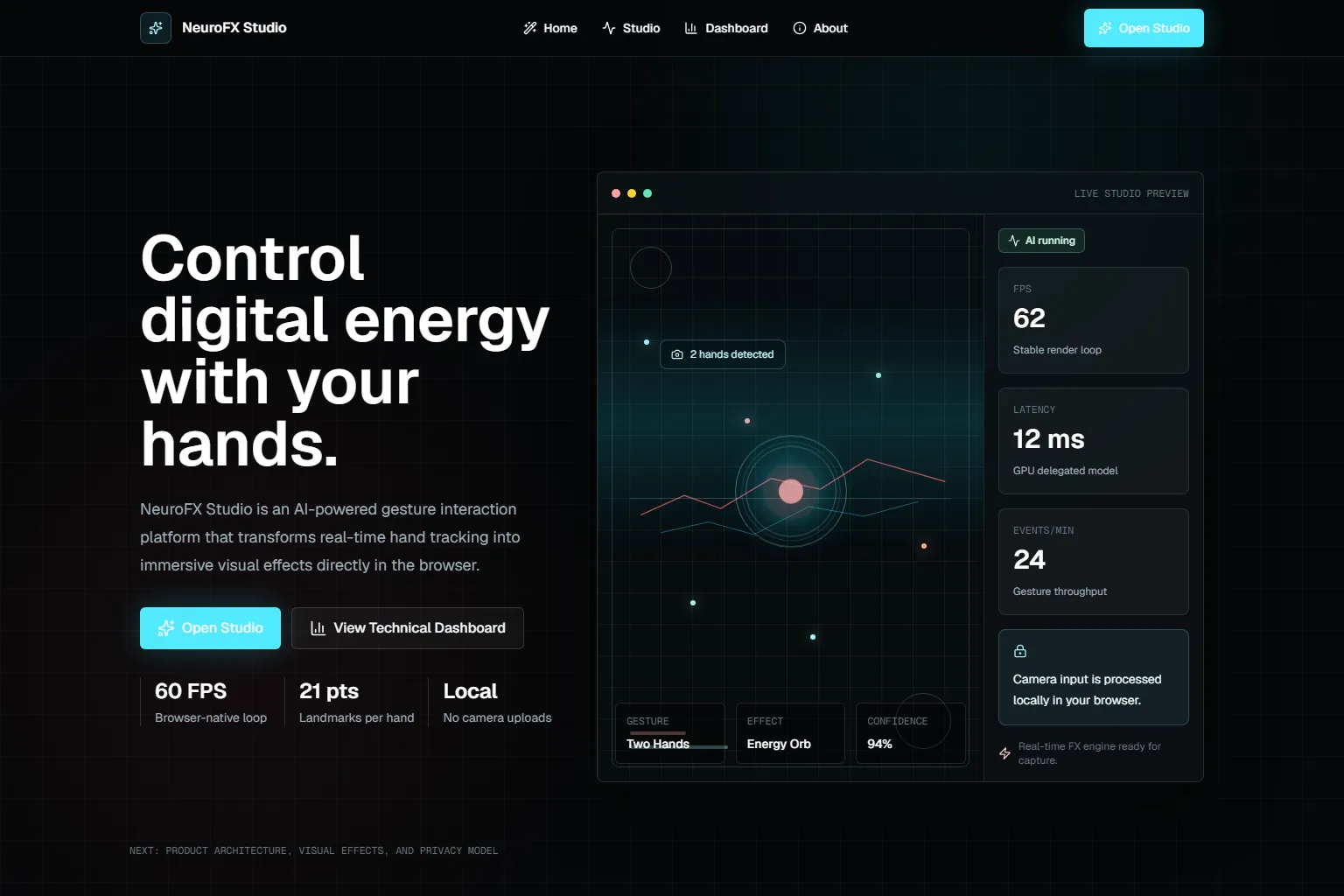
NeuroFX Studio home with the headline, session indicators and a preview of the effects studio.
neurofx-studio.vercel.app / Home page

Problem

Controlling visual effects usually needs a mouse, a keyboard or a control desk.

Gestures need to become continuous parameters, not just commands.
Solution

Architecture at a glance
  • Frames from the user's camera, processed in the browser.
  • Representative data in the technical dashboard, labelled on screen.
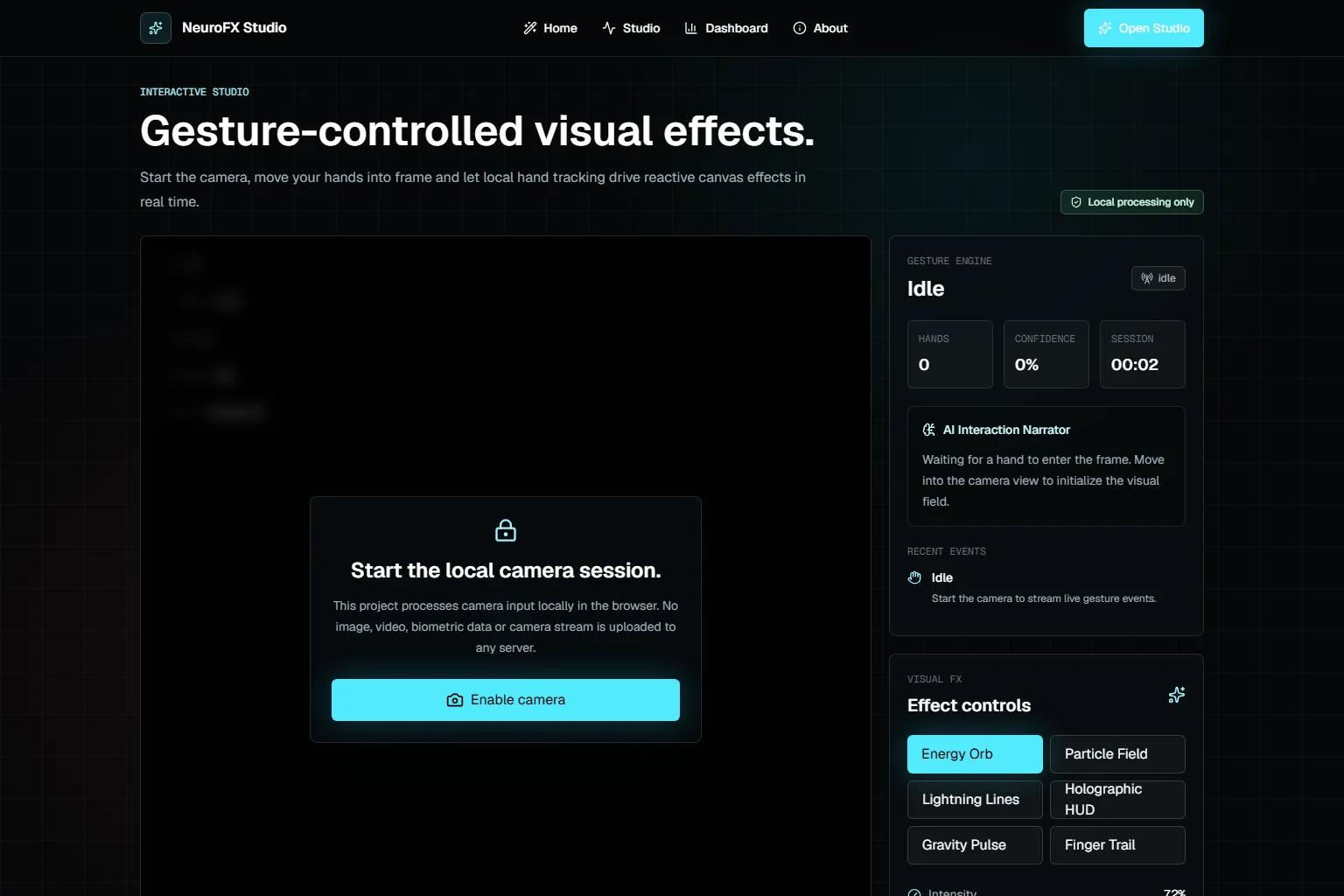
Studio before the camera starts, with the effect controls.
Technical decisions
  1. MediaPipe Hand Landmarker in video mode, with up to two hands and dynamic loading.
  2. Geometric heuristics recognise pinch, open hand, fist, swipe, push and two hands.
  3. Each gesture picks one of six Canvas effects, and the pinch controls the intensity.

Result

Recognised gestures
6
Private repository / useGestureRecognition.ts / commit f15848f
Vitest tests
8
Private repository / tests/neurofx.test.tsx / commit f15848f

The project turns gestures into continuous visual parameters, with local processing.

  • Canvas 2D
  • In-browser computer vision
  • Gesture-to-parameter mapping
  • State with Zustand

Learnings and limitations

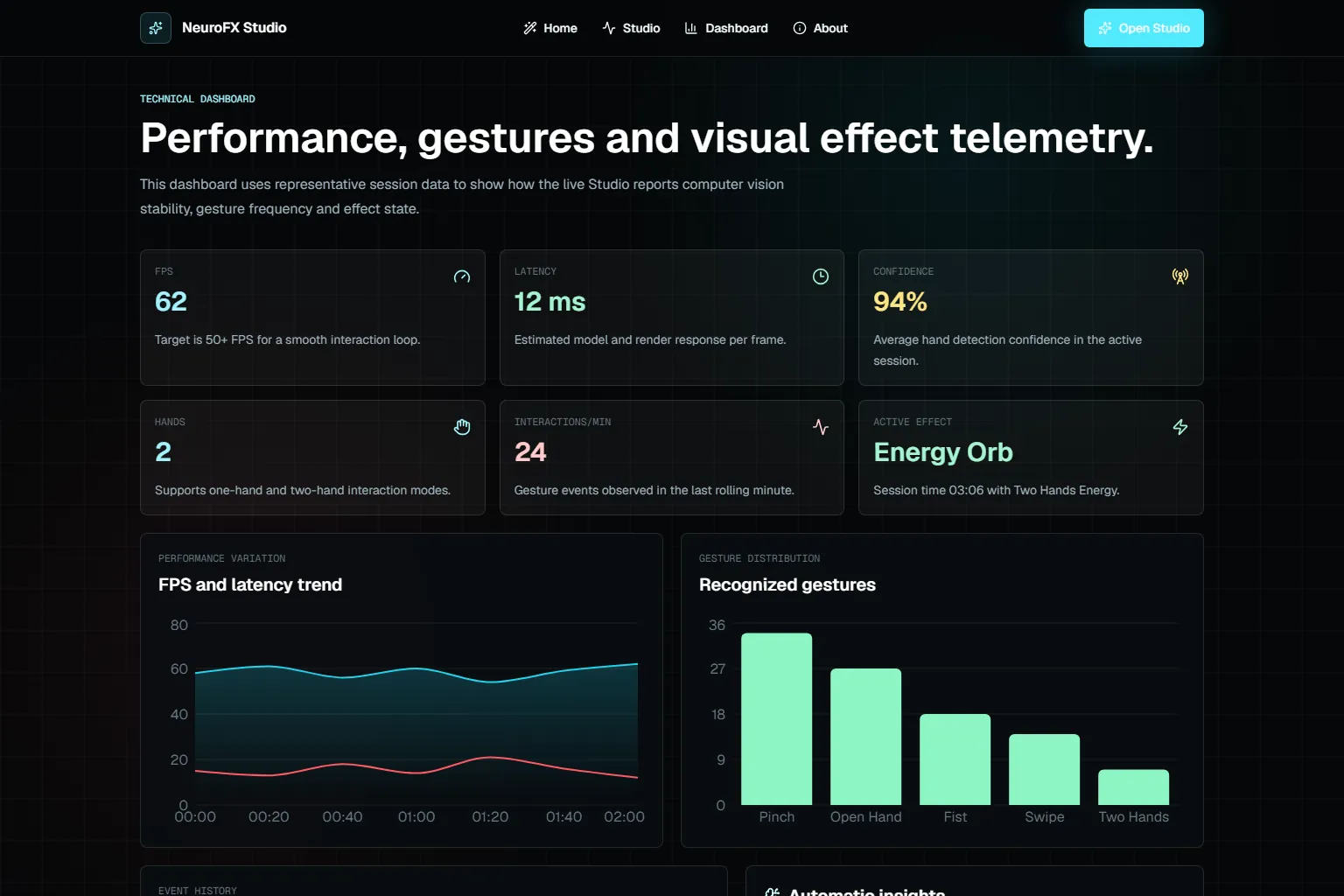
  • The technical dashboard uses representative data, not session measurements.
  • The push gesture's confidence is a fixed value.
  • The MediaPipe WASM comes from a CDN at its latest version, unlike the version pinned in the package.
  • Swipe, push and two hands have no tests.

More about the project

Full case details, collapsed for optional reading.

Full description

NeuroFX Studio is an in-browser studio where hand gestures pick and tune Canvas visual effects.

The MediaPipe Hand Landmarker runs in video mode, with up to two hands; geometric heuristics recognise six gestures.

Each gesture picks one of six effects, the pinch controls the intensity, and the studio measures FPS and latency live.

The technical dashboard shows representative data, labelled on screen; the repository is private.

Next.js and React with MediaPipe Tasks Vision, Canvas 2D effects, Zustand state, Recharts charts and Vitest tests.

Features and highlights
  • Six Canvas visual effects.
  • Effect switching by gesture.
  • Intensity controlled by the pinch.
  • Hand skeleton in debug mode.
  • FPS and latency telemetry in the studio.
  • Recognises six gestures with geometric heuristics over the hand landmarks.
  • Maps each gesture to an effect and the pinch to the intensity.
  • Measures FPS and latency live during the session.
  • Processes the camera in the browser only.
Technical architecture and data

Technical architecture

How the case was designed as a product

In-browser studio that switches and tunes Canvas visual effects according to gestures read from the camera.
MediaPipe Tasks VisionAICanvas APIWeb platformNext.jsFrameworkReactFrameworkTypeScriptLanguageRechartsVisualizationZustandFrameworkVitestFramework

Data used

  • Frames from the user's camera, processed in the browser.
  • Representative data in the technical dashboard, labelled on screen.

Core components

  • Six Canvas visual effects.
  • Effect switching by gesture.
  • Intensity controlled by the pinch.
  • Hand skeleton in debug mode.
  • FPS and latency telemetry in the studio.

Technical decisions

  • Canvas 2D
  • In-browser computer vision
  • Gesture-to-parameter mapping
  • State with Zustand

Trade-offs

  • The technical dashboard uses representative data, not session measurements.
  • The push gesture's confidence is a fixed value.
  • The MediaPipe WASM comes from a CDN at its latest version, unlike the version pinned in the package.
  • Swipe, push and two hands have no tests.
How to run
  1. The repository is private; the steps below apply to anyone with access.
  2. npm install
  3. npm run dev
  4. npm run test
Additional media
Technical dashboard with representative session data.
Credits

Developed by Matheus Siqueira - https://www.matheusdev.tech

Next projectSmart Ranch Vision AI

React herd management dashboard: indicators, alerts, field missions and playbooks over sample data.

View full case