Back to projects

Project case study

Notes Manager

Quick-notes app that keeps everything in the browser, with no account and no server.
My roleDeveloper
Technologies used
  • JavaScript
  • HTML
  • CSS
  • Vitest
  • Playwright
  • Vercel
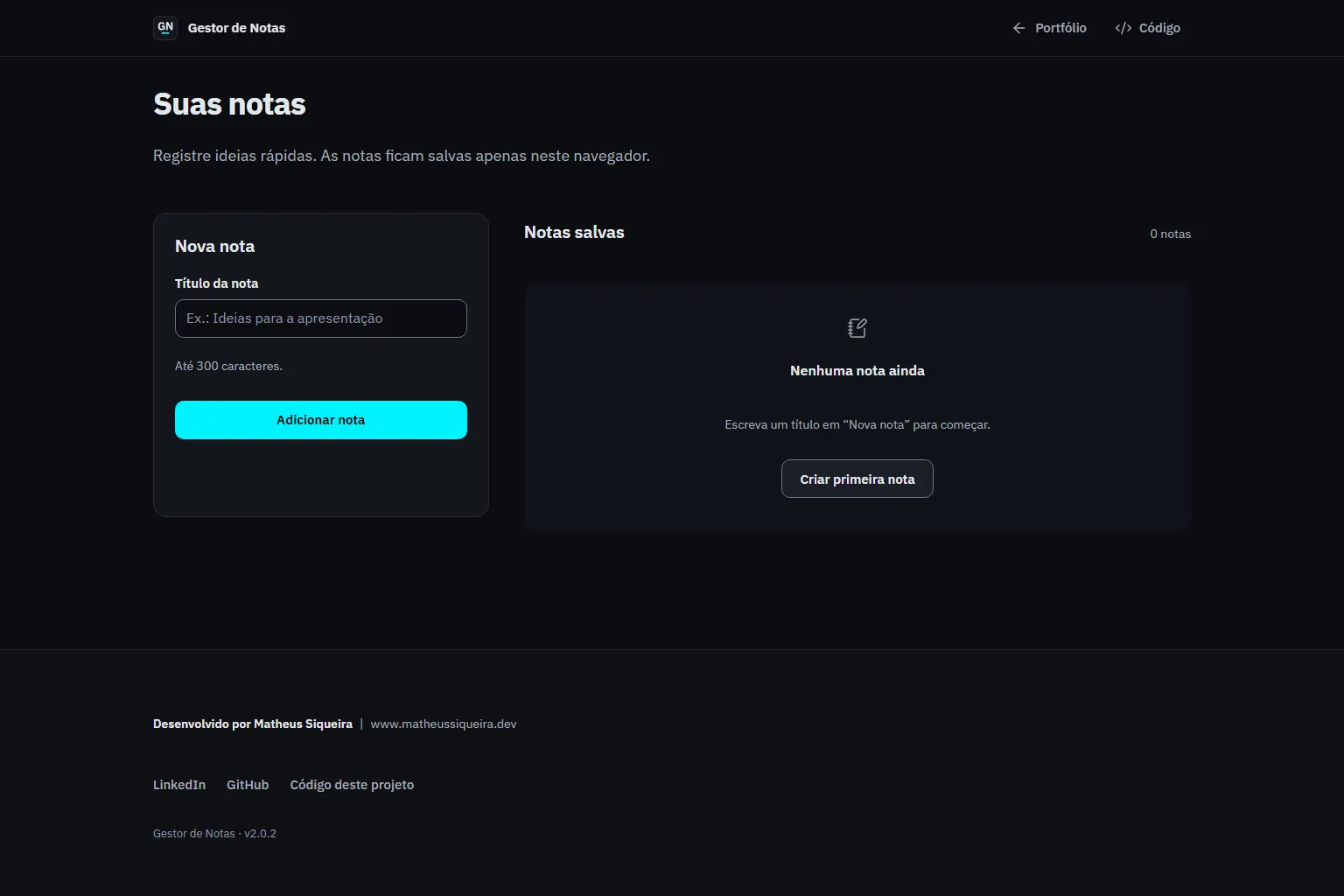
Notes manager with the new-note form and the list still empty.
notes-nine-brown.vercel.app / Home page

Problem

Jotting something down should not require an account, a server or an install.

Data saved in the browser can become unreadable or blocked without warning.

Solution

Architecture at a glance
  • The user's own notes, stored in the browser's localStorage.
Technical decisions
  1. Pure logic in notes.js, storage access in storage.js and a DOM layer in app.js.
  2. Versioned persistence with a migration from version 1 to 2 and a backup of unreadable data.
  3. With storage blocked or full, notes stay in memory and the interface says so.

Result

Note limit
500
Private repository / src/js/notes.js / version 2.0.2
Required minimum coverage
80%
Private repository / Vitest configuration in the README / version 2.0.2

A small app handled with product rigour: versioned data, anticipated failures and tested accessibility.

  • Framework-free JavaScript
  • Storage failure tolerance
  • Schema migration
  • Tested accessibility

Learnings and limitations

  • Notes live in one browser and profile; there is no sync.
  • There is no search, note body or tags.
  • The interface is in Portuguese only.

More about the project

Full case details, collapsed for optional reading.

Full description

Gestor de Notas is a quick-notes app that keeps everything in the browser, with no account and no server.

Each note has a validated title; editing happens in the list itself and deletion asks for confirmation in a dialog.

The data is versioned: a migration takes version 1 to 2 and keeps a copy of unreadable data.

If storage is blocked or full, notes stay in memory and the interface tells the user.

HTML, CSS and JavaScript with ES modules, unit tests in Vitest and end-to-end tests in Playwright with axe, static hosting on Vercel.

Features and highlights
  • Create notes with a validated title.
  • Edit in place, with Enter to save and Esc to cancel.
  • Delete with a confirmation dialog that names the note.
  • A limit of 500 notes.
  • Screen-reader announcements.
  • Migrates saved data from version 1 to 2 without losing notes.
  • Keeps notes in memory when storage fails and tells the user.
  • Confirms deletion in a modal dialog that names the note.
  • Ships with a strict CSP and a Permissions-Policy.
Technical architecture and data

Technical architecture

How the case was designed as a product

Quick-notes app that keeps everything in the browser, with no account and no server.

JavaScriptLanguageHTMLWeb platformCSSWeb platformVitestFrameworkPlaywrightFrameworkVercelDeploy

Data used

  • The user's own notes, stored in the browser's localStorage.

Core components

  • Create notes with a validated title.
  • Edit in place, with Enter to save and Esc to cancel.
  • Delete with a confirmation dialog that names the note.
  • A limit of 500 notes.
  • Screen-reader announcements.

Technical decisions

  • Framework-free JavaScript
  • Storage failure tolerance
  • Schema migration
  • Tested accessibility

Trade-offs

  • Notes live in one browser and profile; there is no sync.
  • There is no search, note body or tags.
  • The interface is in Portuguese only.
How to run
  1. The repository is private; the steps below apply to anyone with access.
  2. npm ci
  3. npm run dev and open http://127.0.0.1:4173 (opening index.html straight from disk does not work).
Additional media
Note creation and organization flow.
Credits

Developed by Matheus Siqueira - https://www.matheusdev.tech

Next projectAI Chatbot API

FastAPI chat API with streamed replies, history in SQLite and three interchangeable AI providers.

View full case